
Simon Says Watch Face - Google Play
You'll be able to see results in few seconds.
Publisher Description
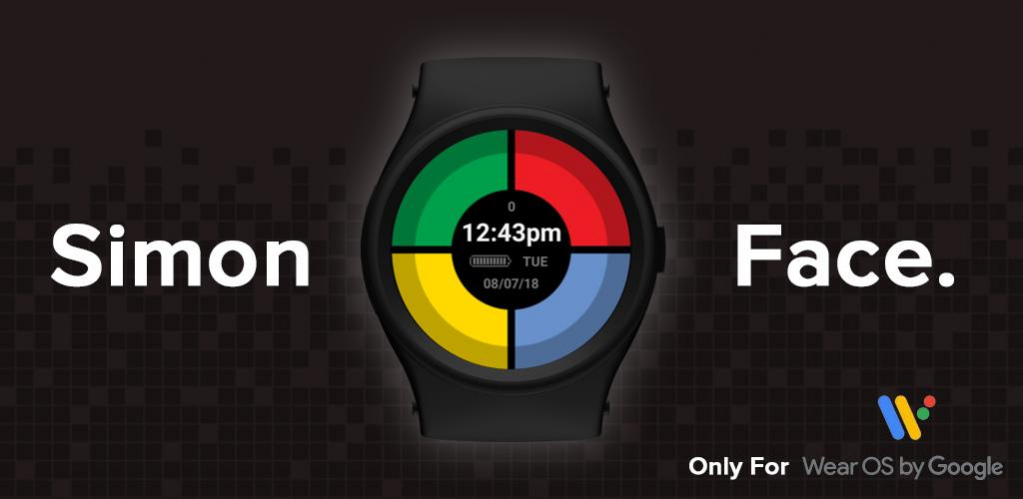
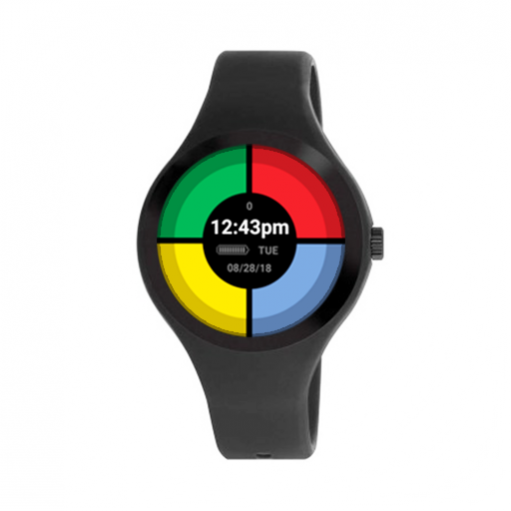

Simon Says Watch Face is a colorful and catchy digital watch face with a built-in Simon Says memory game. Play anytime with the flick of a wrist!
Keep your memory skills in check daily with features like an on-screen score counter and high-score saving. Perfect for a quick time-pass when you’re waiting or on the go.
Features:
• Digital display including time, date, day of week, and battery level
• Large and vibrant game buttons
• 20+ selectable color themes
• Score counter with high-score saving
• Ambient mode with game button outlines
Simon Says Watch Face is quick and easy to use. Tap any of the colored game buttons to start the game, and then play by repeating the computer’s color sequence as long as you can. The game ends when an incorrect sequence is entered, so try your best to remember!
This watch face game is built using basic timers (rather than a traditional “game loop”), so it is quick and light on battery use. Low-bit ambient mode is also included for always-on displays.
Compatible with Wear OS devices including:
Asus ZenWatch 2, Asus ZenWatch 3, WSD-F20, Casio Smart Outdoor Watch WSD-F10, Fossil Q Wander / Q Marshal / Q Founder 2.0 / Bradshaw / Dylan, Fossil Wear, Fossil Q Founder, Guess Wear, Huawei Watch 2, Huawei Watch 2, Huawei WATCH, LGE G Watch R, LGE LG Watch Urbane 2nd Edition LTE, LGE LG Watch Style, LGE LG Watch Urbane, LGE LG Watch Sport, Louis Vuitton Tambour Horizon, Mobvoi TicWatch Pro, Mobvoi Ticwatch S Smartwatch / Ticwatch E Smartwatch, Montblanc SUMMIT, Motorola Moto 360 (2nd Gen), Motorola Moto 360 (2nd Gen), Movado Movado Connect, Movado Boss Touch / TH 24/7 YOU, New Balance Run IQ, Nixon The Mission, Polar M600, TAG Heuer Connected, TAG Heuer Connected Modular 41, TAG Heuer Connected Modular 45, Verizon Wireless Wear24, ZTE Quartz
GameFace takes watch face interaction to the next level with playable “game-faces” that are fast and fun. Need a quick game on the go? Leave your phone in your pocket and turn on your GameFace!
About Simon Says Watch Face
The company that develops Simon Says Watch Face is GameFace. The latest version released by its developer is 1.0 .
To install Simon Says Watch Face on your Android device, just click the green Continue To App button above to start the installation process. The app is listed on our website since 2018-10-25 and was downloaded 0 times. We have already checked if the download link is safe, however for your own protection we recommend that you scan the downloaded app with your antivirus. Your antivirus may detect the Simon Says Watch Face as malware as malware if the download link to com.gameface.simonwatchface is broken.
How to install Simon Says Watch Face on your Android device:
- Click on the Continue To App button on our website. This will redirect you to Google Play.
- Once the Simon Says Watch Face is shown in the Google Play listing of your Android device, you can start its download and installation. Tap on the Install button located below the search bar and to the right of the app icon.
- A pop-up window with the permissions required by Simon Says Watch Face will be shown. Click on Accept to continue the process.
- Simon Says Watch Face will be downloaded onto your device, displaying a progress. Once the download completes, the installation will start and you'll get a notification after the installation is finished.
Program Details
System requirements
Download information
Pricing
Version History
version
posted on 2018-10-25
Disclaimer
Official Google Play Link
We do not host Simon Says Watch Face on our servers. We did not scan it for viruses, adware, spyware or other type of malware. This app is hosted by Google and passed their terms and conditions to be listed there. We recommend caution when installing it.
The Google Play link for Simon Says Watch Face is provided to you by apps112.com without any warranties, representations or guarantees of any kind, so access it at your own risk.
If you have questions regarding this particular app contact the publisher directly. For questions about the functionalities of apps112.com contact us.
